


USDT Wallet vs. Exchange Account: Key Differences Every Beginner Should Know

What USDT Is, And Why Beginners Get Confused About "Where It's Stored"
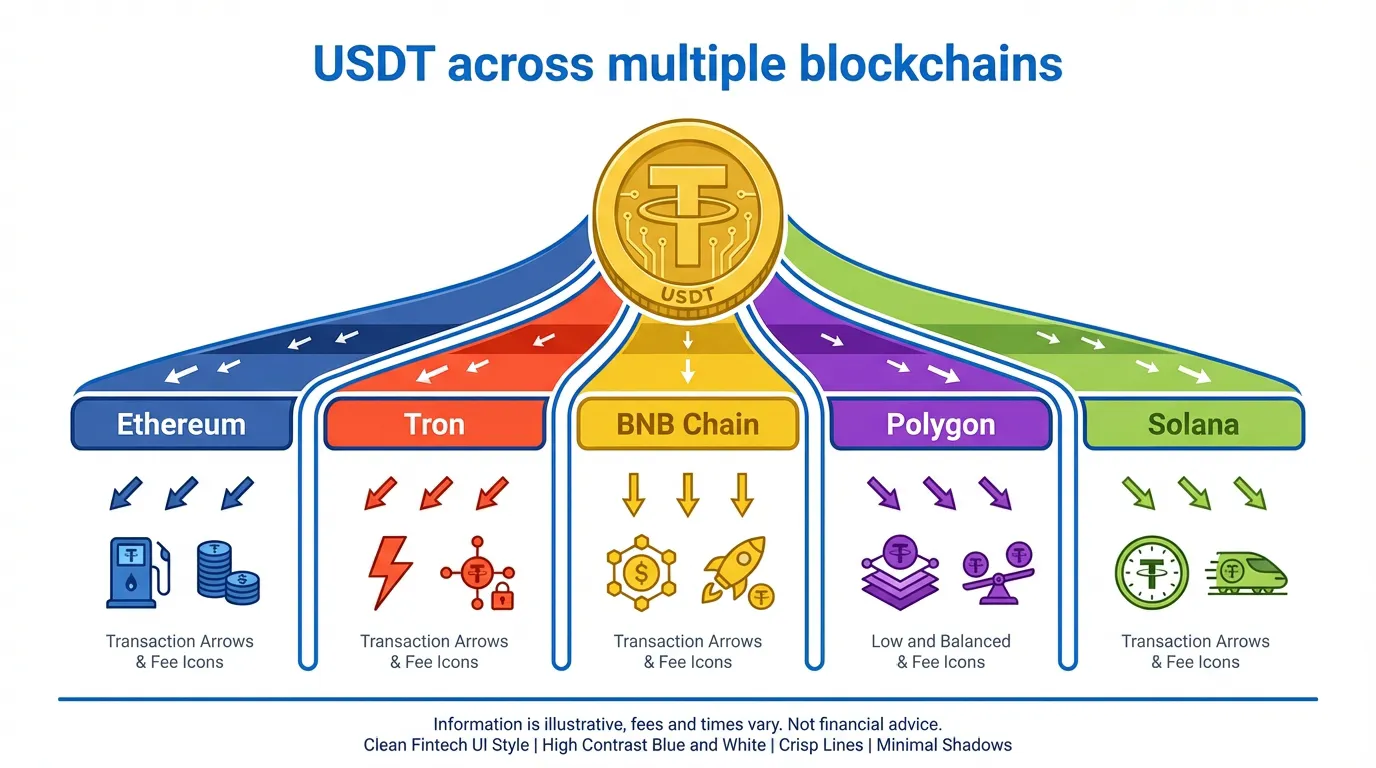
USDT (Tether) is a stablecoin designed to track the US dollar's value on a 1:1 basis, and it is widely used for trading, transfers, and on-chain activity. A key beginner detail: USDT is issued on multiple blockchains, so the "same" USDT can live on different networks with different fees and transaction behavior (for example, Ethereum as ERC-20, Tron as TRC-20, and BNB Smart Chain as BEP-20). This multi-network reality is a big reason people start looking for a wallet that can handle USDT across chains in one place.
If you want an official starting point for the issuer, see the Tether website. For a plain-language overview of how USDT works and why people use it, Bankrate's explainer is a helpful reference: Bankrate's Tether guide. For network history and standards, see Wikipedia's Tether entry.
USDT in a Wallet vs. on an Exchange: The Core Difference Is Custody
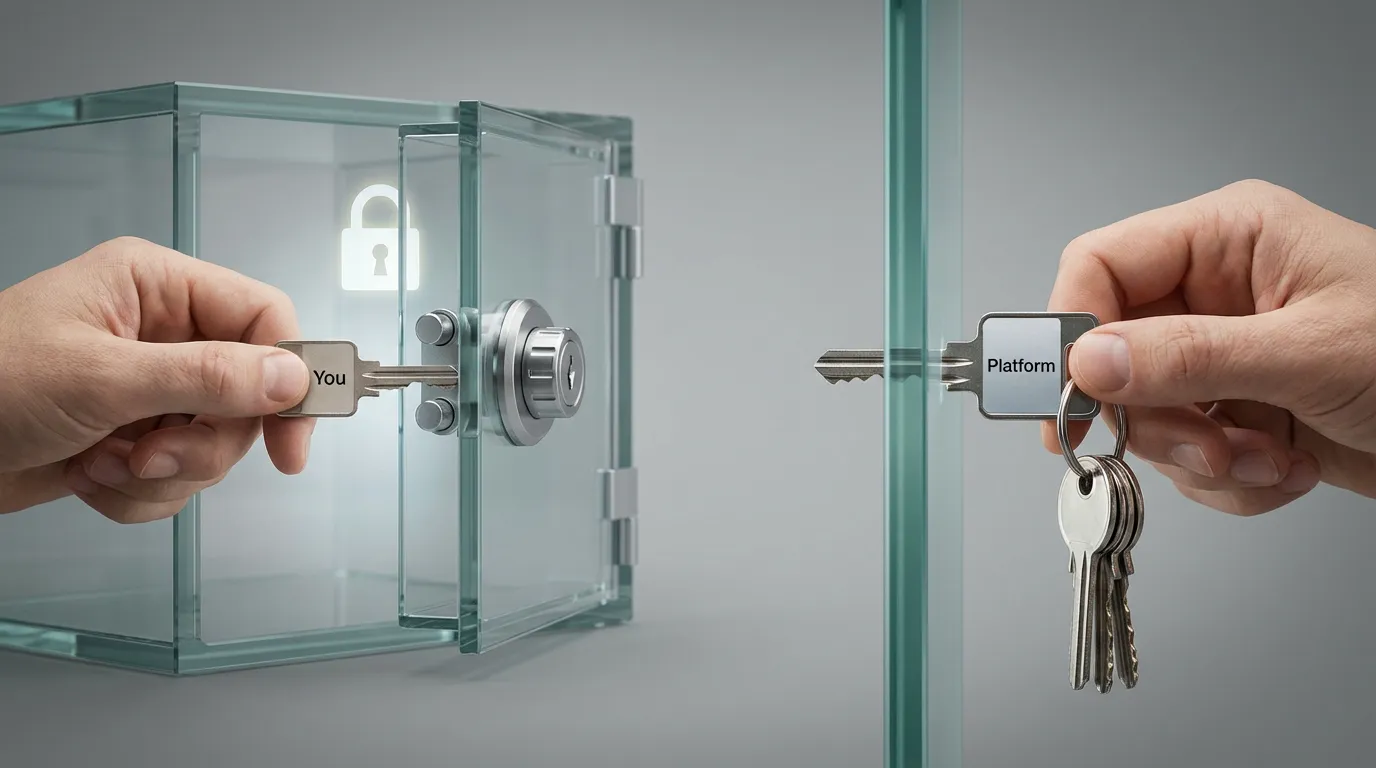
Beginners often think an exchange "wallet" and a crypto wallet app are basically the same. The practical difference is custody, meaning who controls the private keys that can move the funds.
- Exchange account (custodial): The exchange controls the private keys. Your "balance" is effectively an entry in the exchange's internal ledger. This is convenient, but it creates counterparty risk (for example, hacks, insolvency, or withdrawal freezes). See explanations from Kraken's custody overview and SafeHeron's exchange vs. self-custody comparison.
- Non-custodial wallet (self-custody): You control the keys (typically via a seed phrase). Funds remain on-chain, and you sign transactions yourself. This reduces reliance on a centralized platform, but makes backup and phishing awareness your responsibility. See MoonPay's custodial vs. non-custodial guide and Crypto.com's custody explainer.
Where FoxWallet fits: FoxWallet is a multi-chain decentralized wallet (non-custodial). It is built around full user control (keys stay with you), multi-chain asset management, deep DeFi and DApp integration, and a security-first design with local encryption, sandbox isolation, and pre-transaction risk alerts.
Key Differences Beginners Should Compare (Security, Fees, Privacy, And What You Can Do)
Use this table as a quick "decision lens" before you move funds anywhere:
| Category | Keeping USDT on an exchange account | Holding USDT in a non-custodial wallet like FoxWallet |
|---|---|---|
| Control | Exchange controls the private keys | You control the private keys and sign transactions |
| Main risk | Counterparty risk (platform hacks, insolvency, withdrawal pauses) | Self-custody risk (seed loss, phishing, signing bad transactions) |
| Recovery | Password reset and support are usually possible | Seed phrase is the master backup; no central reset |
| Fees to move out | Often includes exchange withdrawal fees (varies by platform and network) | Typically just network fees when you transact on-chain |
| Privacy and KYC | Usually requires KYC/AML and account monitoring | No KYC at the wallet level; on-chain activity is pseudonymous |
| DeFi and DApps | Limited, usually platform-curated | Direct access to DApps and DeFi via wallet connectivity and DApp browsing |
| Multi-chain USDT management | Depends on which networks the exchange supports for withdrawal | Designed to view and manage assets across networks in one interface |
Sources discussing these trade-offs: Changelly's wallet vs. exchange guide, Britannica's CEX vs. DEX overview, and Gemini's custody primer.
Tutorial: How to Move USDT From an Exchange to FoxWallet Safely
This is a beginner-safe way to transition from "exchange-only" to self-custody without taking unnecessary risks.
Step 1: Install FoxWallet and create a wallet
- Go to FoxWallet and install the app or browser extension from official sources.
- Create a new wallet.
- Back up your seed phrase offline (paper or other offline method). Do not store it as a screenshot or in cloud notes. Security best practices are covered in Ledger's security checklist.
Step 2: Choose the right network before you withdraw
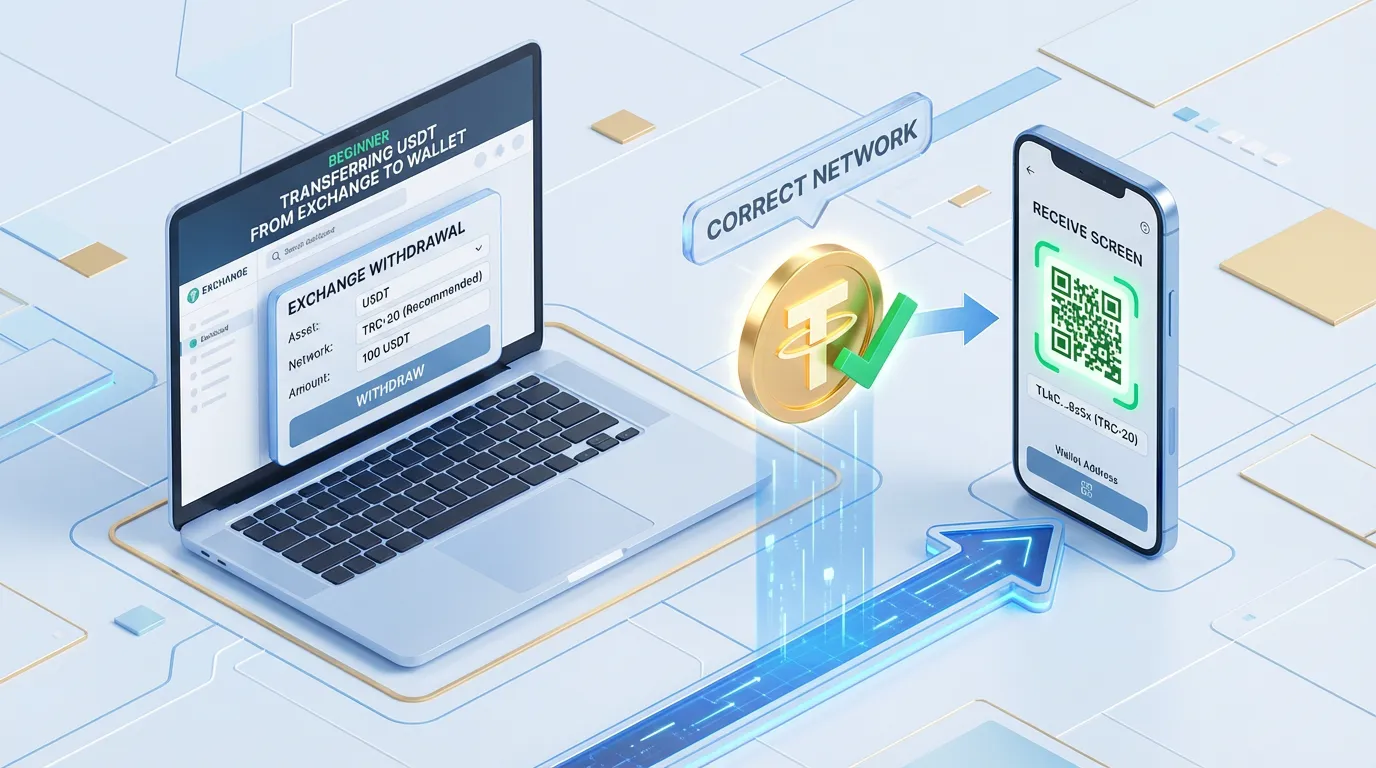
USDT withdrawals require you to pick a network on the exchange (for example, Ethereum vs. Tron). Your wallet address must match the same network the exchange is sending on. Network mismatch is one of the most common beginner mistakes.
If you are unsure what "a wallet does" under the hood (keys, signing, networks), this background helps: Ledger's wallet types explainer.
Step 3: Copy your receive address in FoxWallet (on the correct chain)
In FoxWallet:
- Select the chain you plan to receive on.
- Tap Receive.
- Copy the address carefully.
Step 4: Do a small test withdrawal from the exchange
On the exchange:
- Choose Withdraw USDT.
- Paste your FoxWallet address.
- Select the exact same network you selected in FoxWallet.
- Send a small test amount first.
- Wait for confirmations, then verify the balance in FoxWallet.
This "test first" habit is widely recommended in self-custody safety guidance (see ZondaCrypto's safety best practices).
Step 5: Move the rest, then use USDT on-chain (when you are ready)
After the test arrives:
- Withdraw larger amounts in batches if you prefer.
- When you want to do more than hold, use FoxWallet's built-in on-chain tools:
- Multi-chain asset view to track balances across networks.
- Built-in cross-chain swaps to move value across chains with routing optimized for pricing and liquidity.
- DApp browser to access DeFi and other Web3 apps without bouncing between multiple tools.
Common Mistakes to Avoid (And A Quick Beginner Checklist)
Mistake 1: Treating the seed phrase like a password reset
In self-custody, the seed phrase is the backup. There is no support desk that can restore it. Custody explainers from BitGo and MoonPay emphasize this responsibility shift.
Mistake 2: Sending USDT on the wrong network
Always confirm:
- The exchange withdrawal network.
- The wallet's selected chain.
- The address format shown by the wallet.
Mistake 3: Phishing and malicious approvals
Do not enter your seed phrase into websites or "support" forms. Be cautious when connecting to unfamiliar DApps. General on-chain safety practices are summarized in sources like Binance Square's Web3 wallet security tips. FoxWallet adds guardrails with pre-transaction risk alerts and smart contract recognition, but you should still verify what you are approving.
Beginner checklist (save this)
- Install only from FoxWallet official sources.
- Back up seed phrase offline, and verify you wrote it correctly.
- Start with a small test transfer.
- Double-check the network every time you withdraw.
- Keep a hybrid strategy: exchange for active trading, self-custody for longer-term holding and Web3 usage.
If your next step is to move from "exchange-only" to real self-custody and multi-chain USDT management, start by setting up FoxWallet and completing one small test withdrawal today.