


Best BEP-20 Wallets in 2026: How to Get a BSC Wallet Address

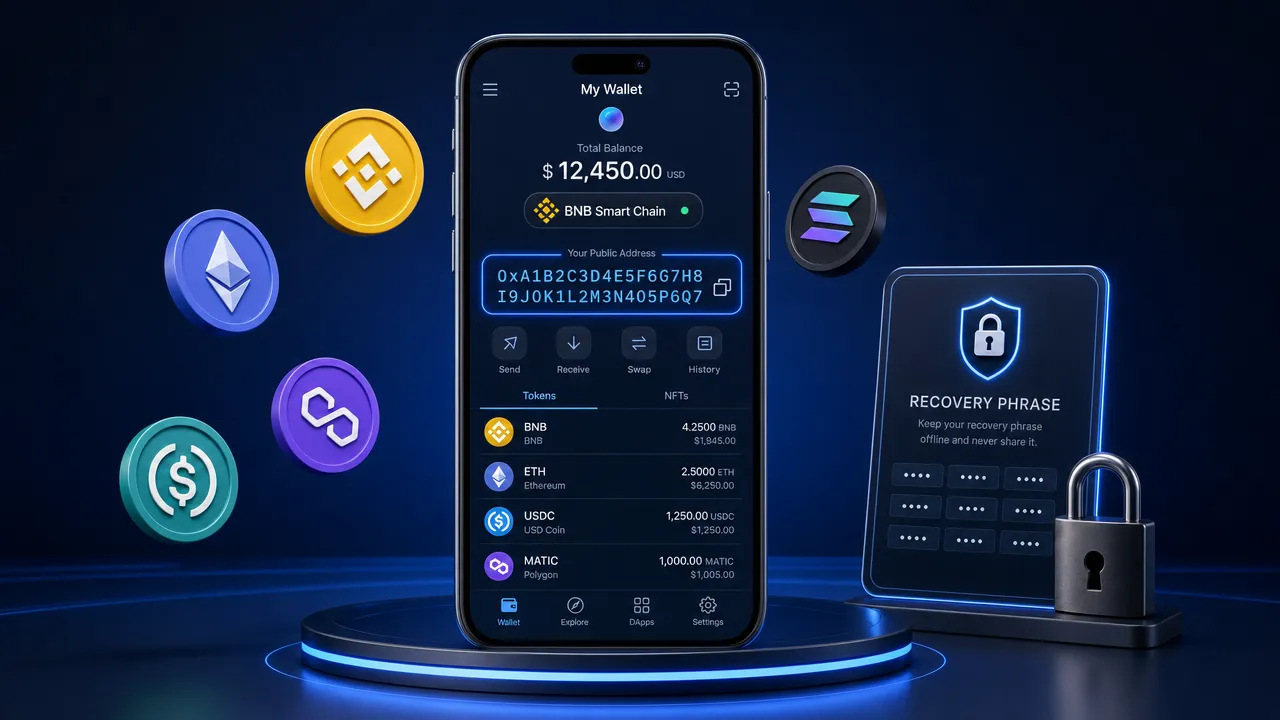
A BEP-20 wallet is a crypto wallet that can receive, hold, and send BEP-20 tokens on BNB Smart Chain (BSC), providing a public 0x address for receiving BSC assets and signing transactions on that network.
The most important point for beginners is simple: BEP-20 is a token standard, not a separate wallet-address format. A BSC wallet address usually looks like an Ethereum-style 0x address, but its balances and transactions remain specific to BNB Smart Chain.
Best BEP-20 wallets in 2026: quick comparison
| Wallet | Best for | BSC/BEP-20 support | Platforms |
|---|---|---|---|
| FoxWallet | Multi-chain self-custody with mobile swaps and bridging | Native, mobile-first | iOS, Android, browser extension (limited) |
| MetaMask | Users already familiar with EVM DApps and network settings | Supported — add from the network selector | Browser extension, mobile |
| Trust Wallet | Beginners who want zero-configuration BSC setup | Native, built in by default | Mobile, browser extension |
| TokenPocket | Simple mobile-first BSC and multi-chain DApp access | Native | Mobile, browser extension |
| OKX Wallet | Multi-chain users who want a built-in DEX aggregator | Native, broad multi-chain support | Mobile, browser extension |
Each wallet below is broken down in more detail — including where it's genuinely strong and where it falls short — so you can match the choice to your actual workflow rather than a generic ranking.
What is a BEP-20 wallet and how does it work?
A BEP-20 wallet is a BSC-compatible wallet that manages assets and signs transactions on BNB Smart Chain. BEP-20 is the token-contract standard used by fungible tokens on BSC. It follows a model similar to Ethereum's ERC-20 standard, including token transfers, balances, approvals, and allowances. You can review the technical standard in the official BNB Chain BEP-20 specification.
A Binance Smart Chain wallet can hold the native BNB asset on BSC as well as BEP-20 tokens. Common examples include stablecoins, governance tokens, utility tokens, and wrapped assets issued as token contracts on the network.
It is useful to separate four terms that are often confused:
| Term | What it means | Can you share it? |
|---|---|---|
| BSC wallet address | A public 0x destination for receiving BNB and BEP-20 tokens on BSC |
Yes |
| Seed phrase | Recovery words that can restore a self-custody wallet | Never |
| Private key | Secret credential that controls a wallet account | Never |
| Token contract address | The smart contract that identifies a specific token | Yes, after verification |
A BEP-20 token wallet does not create a special address just for BEP-20 assets. Instead, it uses an EVM-compatible public address. Many wallets can use the same 0x address on BSC and other EVM networks, but that does not mean the networks share balances.
For example, a wallet may display the same address on Ethereum and BNB Smart Chain. If you receive a token through BSC, that token exists on BSC. It will not automatically appear as an Ethereum balance. Each network has its own transaction history, token contracts, assets, and gas requirements.
You also need BNB on BNB Smart Chain to pay transaction fees. Sending BEP-20 USDT, approving a token for a DApp, or completing a swap on BSC normally requires a small BNB balance for gas. Holding only the token you want to send is not enough.
BNB Smart Chain is not the same as an exchange
BNB Smart Chain is a blockchain network. An exchange is a service that may let you buy, sell, deposit, or withdraw assets. They are not the same thing.
An exchange deposit address is generally controlled by the exchange. A self-custody BSC wallet address is controlled by the private key or seed phrase that you protect. Before transferring funds, always confirm whether you are sending to your own self-custody wallet or to an exchange deposit address.
Also, do not confuse a BSC 0x address with legacy bnb... address formats. They are not automatically interchangeable. Check the network shown by both the sending and receiving service before confirming a transaction.
How to get a BSC wallet address with a BEP-20 wallet
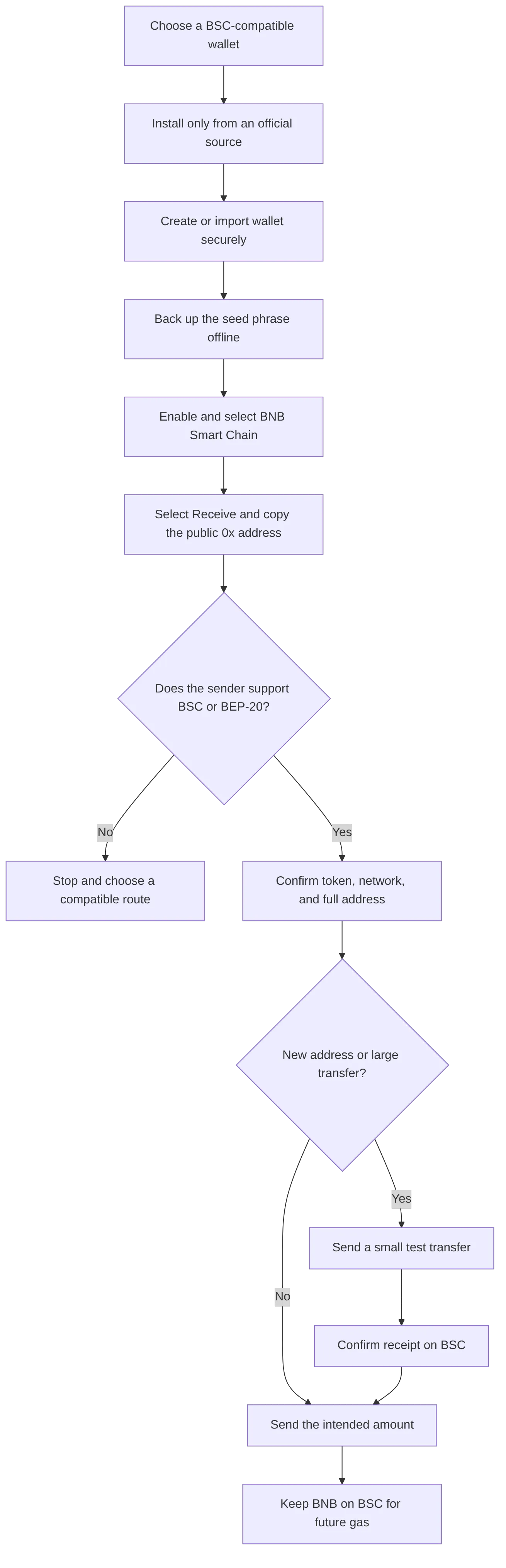
If you are searching for how to get a BSC wallet address, follow this safety-first process.
1. Choose a BSC-compatible wallet
Start with a wallet that explicitly supports BNB Smart Chain and BEP-20 tokens. For self-custody, choose a non-custodial wallet where you control the recovery phrase and private keys.
FoxWallet is a multi-chain, non-custodial wallet. FoxWallet mobile is the primary multi-chain product, with native BNB Chain support, DApp access, swaps, and bridging. FoxWallet also offers a more limited browser extension for basic EVM and Aleo wallet interactions — since BNB Chain is EVM, the extension supports basic BSC wallet functionality (send, receive, hold), but swap, bridge, and staking are mobile-only features.
2. Download from an official source
Only install a wallet through its official website, verified app-store listing, or official browser-extension listing. Search ads, copied extensions, and fake support pages can imitate legitimate wallet brands.
Use FoxWallet's official website as the starting point for FoxWallet downloads. Never install a wallet extension from a link sent in a private message, a social-media reply, or an unfamiliar website.
3. Create a new wallet or import one carefully
If you are new to self-custody, create a new wallet and set a strong local password if prompted. If you already have a wallet, import it only into the official wallet application or extension.
Never enter your seed phrase into a DApp website, a support chat, a form claiming to verify or synchronize your wallet, a social-media message, a website claiming it can recover lost funds, or a browser extension you have not verified. A legitimate wallet provider should never ask you to disclose your recovery phrase.
4. Back up your seed phrase offline
Your seed phrase is the master recovery credential for a self-custody wallet. Write it down accurately and store it in a secure offline location — never as a screenshot, in cloud storage, by email, or through messaging apps. Review the official FoxWallet security tips before funding a new wallet.
5. Enable and select BNB Smart Chain
In FoxWallet, you can enable BNB Chain through the network settings, then switch to it from the wallet screen. Follow the official guide to enable BNB Chain in FoxWallet.
Do not copy random custom RPC settings from search results, chat groups, or social posts. If you need to manage networks manually, verify details against official documentation.
6. Select Receive and copy the public address
After selecting BNB Smart Chain, choose Receive. Your public BSC wallet address should appear as a 0x address along with a QR code. FoxWallet's official manage funds guide explains the Receive workflow. Copy the full address rather than typing it manually, and compare the first and last characters after pasting it into the sending service.
7. Confirm the sending network
On the platform sending your assets, select BNB Smart Chain, BSC, or BEP-20 only when your receiving wallet is set up for that network.
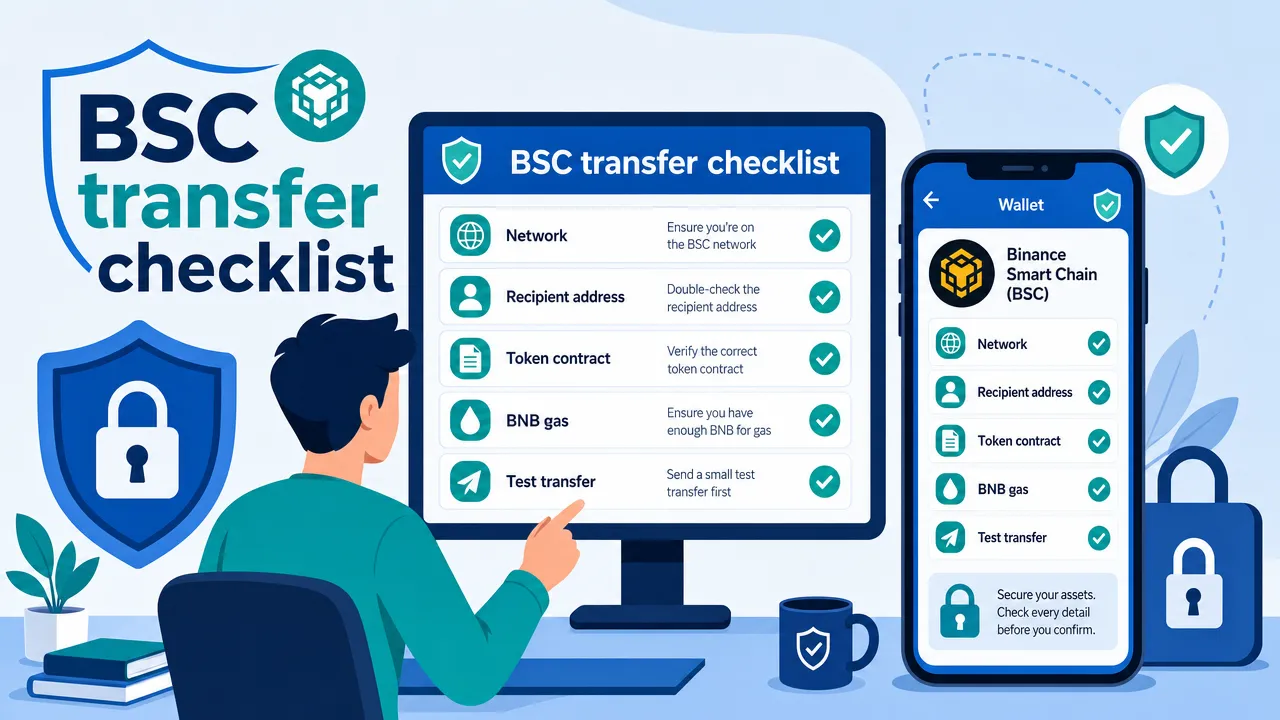
Before you submit the transaction, check the token being sent, the sending network, the full recipient address, the amount, any memo or tag requirement, and whether a small test transfer is appropriate. For a first transfer, a large transfer, or an unfamiliar withdrawal process, send a small test amount first and wait for it to arrive before transferring the remaining balance.
Detailed wallet recommendations
FoxWallet
Best for: Multi-chain users who want self-custody, native BSC support, and mobile swaps and bridging in one app.
BSC/BEP-20 support: Native on mobile — enable BNB Chain through network settings. The browser extension supports basic BSC wallet actions (send, receive, hold) but not swap, bridge, or staking.
Platforms: iOS, Android, and browser extension.
Strengths: Local key encryption, multi-chain asset management in one interface, DApp access, transaction-risk alerts, smart-contract recognition, phishing-link protection, and token-authorization monitoring. On mobile, FoxWallet's Swap is powered by 1inch and Bridge by LI.FI.
Limitations: Swap, bridge, and staking are mobile-only — the browser extension is a more limited EVM/Aleo surface for basic wallet actions.
MetaMask
Best for: Users already familiar with EVM DApps and comfortable managing network settings manually.
BSC/BEP-20 support: Supported. BNB Chain can be enabled from MetaMask's network selector on mobile and extension — it appears under "Additional networks" and can be added with one click. Unlisted tokens can also be added manually if they are not detected automatically.
Platforms: Browser extension and mobile app.
Strengths: The most widely recognized EVM wallet, strong hardware-wallet pairing (Ledger, Trezor) for cold-storage signing, broad DApp compatibility across EVM chains.
Limitations: MetaMask remains especially EVM-oriented, and users managing many networks may prefer a wallet with a more explicitly multi-chain workflow.
Trust Wallet
Best for: Beginners who want BSC support working immediately with no manual configuration.
BSC/BEP-20 support: Native and built in by default — BEP-20 tokens like USDT appear without adding a custom network.
Platforms: Mobile-first, with browser extension also available.
Strengths: BNB Smart Chain is supported directly, alongside 100+ blockchain networks, with mobile and browser-extension access, swaps, DApps, and self-custody.
Limitations: Mobile-first design means desktop DApp workflows are generally less developed than dedicated browser-extension wallets like MetaMask or Rabby.
TokenPocket
Best for: Users who want a lightweight, mobile-first wallet for everyday BNB Chain and BEP-20 use.
BSC/BEP-20 support: Native, with direct BNB Chain DApp access from the mobile app.
Platforms: Mobile and browser extension.
Strengths: Simple setup, direct dApp browsing without added configuration, broad non-EVM coverage beyond BSC (including Bitcoin, Solana, TRON, Sui, and XRP) if you also hold assets on those networks, plus Ledger and Trezor hardware-wallet connection support through the extension.
Limitations: Its broad feature set and multi-chain interface may be more than a user needs if they only want a simple BSC wallet.
OKX Wallet
Best for: Multi-chain users who want a built-in DEX aggregator alongside native BSC support.
BSC/BEP-20 support: Native, alongside broad multi-chain support, with a built-in DEX aggregator that routes across BSC liquidity specifically.
Platforms: Mobile and browser extension.
Strengths: Broad multi-chain reach in one interface, integrated swap routing, connects conveniently to the OKX exchange if you already use it.
Limitations: Feature and service availability can vary by region — confirm current access in your own location before relying on it.
How to choose a secure BEP-20 wallet
A secure BEP-20 wallet should make important transaction context visible while keeping you in control of your recovery credentials.
| Evaluation area | Why it matters | What to look for |
|---|---|---|
| Non-custodial design | You retain control of wallet credentials and assets | Clear self-custody explanation |
| BSC support | Required to manage BEP-20 tokens on the intended network | Explicit BNB Smart Chain support, native or manual |
| Network clarity | Helps prevent wrong-chain transfers | Clear BSC labels before signing |
| Key protection | Recovery material is the core security responsibility | Local encryption and clear backup instructions |
| DApp safety | DApps can request signatures and approvals | Transaction warnings and contract-recognition signals |
| Approval awareness | Token approvals can authorize contract spending | Readable spender and amount details |
Understand approvals before using BSC DApps
A token transfer sends assets from your wallet. A token approval gives a smart contract permission to spend a specified amount of a token later. These are different actions.
Before approving a BEP-20 token, review the DApp domain, the contract or spender requesting permission, the token and amount being approved, whether the amount is broader than needed, and any warning displayed by your wallet. The BEP-20 standard includes approval and allowance functions, which is why token approvals are common in decentralized trading and other DApp workflows. Learn the basics through the official BEP-20 token standard.
Separate gas, swap, and cross-chain costs
| Cost type | What it covers |
|---|---|
| BSC gas fee | BNB paid to process a transaction on BNB Smart Chain |
| Protocol or DEX fee | Fee charged by the trading protocol or liquidity pool |
| Routing fee | Cost associated with a route or service provider |
| Price impact or slippage | Difference caused by liquidity and trade size |
| Cross-chain route cost | Costs associated with moving assets between networks |
Cross-chain activity is separate from a same-chain BSC transfer. It can involve route, bridge, smart-contract, destination-network, and fee risks. Review the full quote and destination network before confirming, and consult this guide to cross-chain swap risks when comparing routes.
BEP-20 wallet mistakes and frequently asked questions
Common mistakes to avoid
Sending on the wrong network. A matching 0x address format does not make BSC and Ethereum interchangeable. Always verify the network at both the sending and receiving side.
Confusing a token contract with a wallet address. Do not send funds to an address merely because it appears on a token-information page.
Choosing tokens by ticker alone. Scam tokens can copy well-known names and symbols. Get the official token contract address from the project's official documentation, then inspect it through BscScan. BscScan's verification guidance concerns contract ownership verification and does not prove that an investment or token is safe.
Forgetting BNB for gas. You need BNB on BNB Smart Chain to send BEP-20 tokens or interact with many BSC smart contracts.
Sharing a seed phrase. A public address is safe to share. A seed phrase and private key are never safe to share.
Is a BSC wallet address the same as a BEP-20 address?
In everyday use, yes. Both terms normally refer to the public 0x address used to receive BNB and BEP-20 tokens on BNB Smart Chain.
Can I use the same address for BSC and Ethereum?
Many EVM-compatible wallets use the same public 0x address across BSC and Ethereum. However, balances, token contracts, transaction histories, and gas assets remain separate.
Do I need BNB to send BEP-20 tokens?
Yes. BNB on BNB Smart Chain is normally required to pay BSC gas fees.
Why are my BEP-20 tokens not showing?
Check whether you selected BNB Smart Chain in the wallet, verify the transaction was sent on BSC, confirm the token contract is correct, and check the transaction has confirmed.
How do I verify a BEP-20 token?
Use the token contract address from the project's official website or documentation. Compare it carefully with the address displayed on BscScan.
A BEP-20 wallet should make BSC access simple, but safe use still depends on your decisions. Protect your recovery phrase offline, select the correct network, verify the full recipient address, confirm token contracts from official sources, and keep enough BNB on BSC for gas.
If you want a non-custodial wallet for BSC assets, multi-chain management, and mobile swaps and bridging, explore FoxWallet's official website before creating or importing a wallet.