


Mobile ETH Swap: Fast & Secure App | FoxWallet

Why mobile ETH swaps matter (and what "fast" really means)
An ETH swap is an on-chain exchange of Ether (ETH) to another token (or the reverse) using smart contracts, usually via an AMM or a swap aggregator that searches multiple routes for the best execution. On mobile, the key advantage is speed of action: you can check a quote, review risk signals, and sign a transaction in seconds, from anywhere.
What makes a mobile ETH swap feel "fast" is not just block time. It is the combination of:
- Quick quote retrieval (good routing and liquidity access).
- Clear fee visibility (so you do not hesitate at the confirmation screen).
- Fewer context switches (swap inside the wallet instead of bouncing between apps).
- Security cues before signing (to avoid costly mistakes).
If you want a mobile-first flow that keeps self-custody front and center, FoxWallet is designed as a non-custodial, multi-chain wallet with built-in swap aggregation, plus pre-transaction risk alerts and phishing protection.
What an ETH swap is and how it works on-chain
At a practical level, an ETH swap is a single on-chain action where you sign a transaction that calls a swap contract (directly or through an aggregator). Instead of an order book, AMMs use liquidity pools and mathematical pricing.
Key concepts to understand before you tap "Confirm":
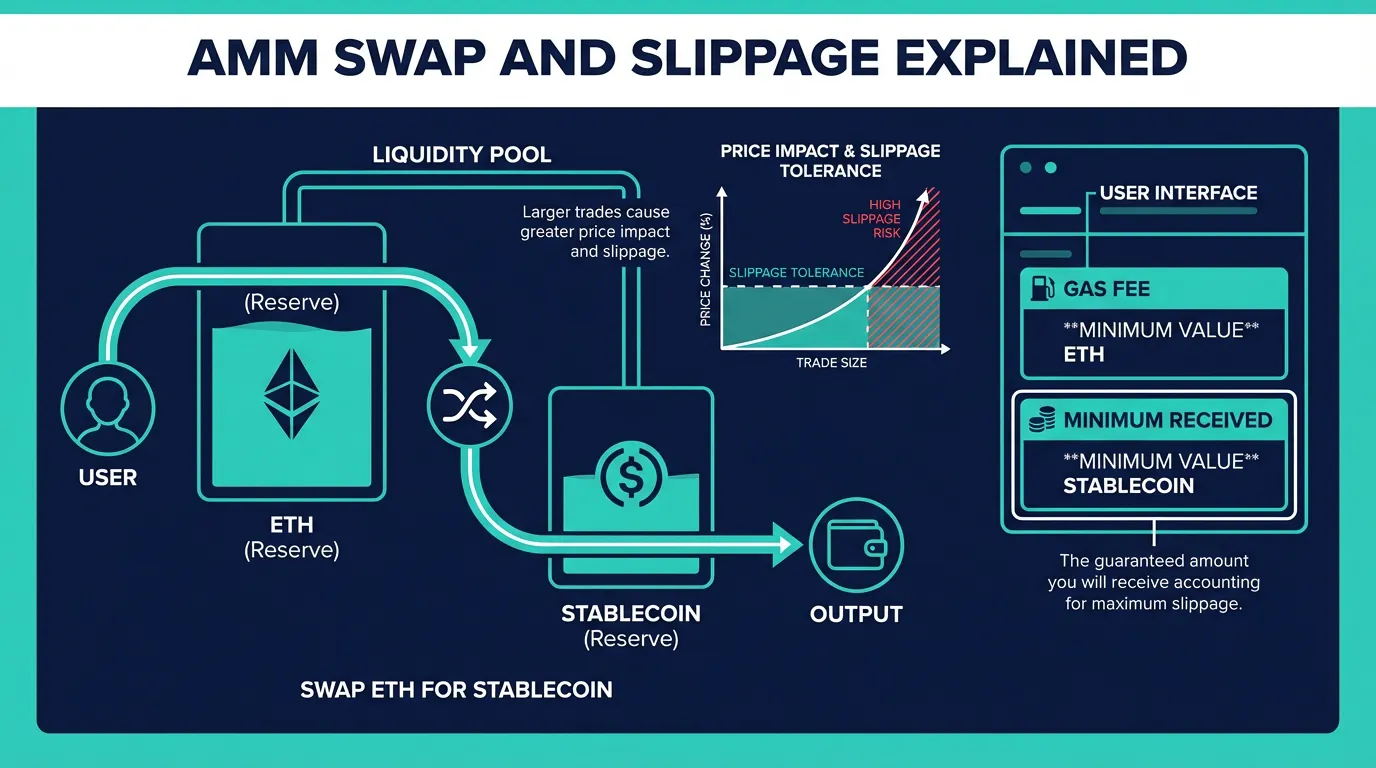
- AMMs and liquidity pools: Pools hold reserves of two assets (example: ETH and a stablecoin). Your swap changes the reserves, and the pool price updates accordingly. Uniswap's documentation is a solid reference for the mechanics and swap concepts in AMMs (see the Uniswap swaps concept documentation).
- Routing and aggregation: If there is no deep pool for your pair, routers can use multi-hop paths (for example, ETH to USDC to the target token) to reduce price impact.
- Gas fees: On Ethereum mainnet, gas is paid in ETH. Even if you swap ETH into a token, you still need enough ETH to pay the network fee.
- Slippage tolerance: This is your acceptable execution drift. If the price moves beyond your tolerance before inclusion, the transaction can revert rather than fill at a worse price.
- ETH vs. WETH: Many DEX routes use wrapped ETH (WETH) under the hood. Most wallet swap UIs abstract this so you can think in ETH.
Common ETH swap risks on mobile, and how to reduce them
Mobile convenience is powerful, but it also means you may be swapping quickly in distracting contexts. The main risks are well-known in DeFi and worth treating as a checklist.
1) Price impact and slippage
Large swaps in shallow pools move the price against you. If you set slippage too low, you may get failed transactions. If you set it too high, you may invite worse execution.
Practical approach:
- Start conservative (often 0.1 to 0.5 percent for highly liquid pairs).
- Increase only when necessary, and be cautious with unusually high slippage.
2) MEV, front-running, and sandwich attacks
Because pending transactions can be visible before inclusion, adversaries can reorder or bracket trades to profit. Ethereum.org provides a clear overview of MEV and why it matters for on-chain swaps (see Ethereum.org on MEV).
Practical approach:
- Avoid excessively high slippage.
- Consider breaking very large swaps into smaller ones when liquidity is limited.
3) Scam tokens, malicious contracts, and fake interfaces
Lookalike tokens and malicious approval patterns are common causes of losses.
Practical approach:
- Verify token contract addresses from official project sources.
- Treat unknown tokens and unfamiliar swap routes with extra caution.
- Review what you are signing, especially if the flow requests approvals.
How FoxWallet helps (without taking custody)
FoxWallet is non-custodial: your keys stay locally stored and encrypted on your device, and you sign transactions yourself. For swap safety, FoxWallet emphasizes:
- Pre-transaction risk alerts to flag suspicious interactions before you sign.
- Smart contract recognition to help you distinguish reputable contracts from unknown ones.
- Anti-phishing protection in the built-in DApp browser to reduce exposure to malicious links.
Step-by-step: how to do an ETH swap in FoxWallet on mobile
This walkthrough is intentionally generic so it stays accurate across networks and tokens, while matching the real on-chain steps.
Step 1: Install FoxWallet and secure your wallet
- Download FoxWallet on iOS or Android.
- Create a new wallet or import an existing one.
- Back up your recovery phrase securely offline.
- Enable device protections (PIN and biometrics) for safer daily use.
You can also install from the official stores:
Step 2: Fund your wallet with enough ETH for the swap and gas
Send ETH to your FoxWallet address on the correct network you plan to use. Keep extra ETH to cover gas, especially on Ethereum mainnet where fees can spike during congestion.
Step 3: Open Swap and choose the network
- In FoxWallet, open the Swap feature.
- Confirm the network (for example, Ethereum mainnet or an L2 you use).
- Select From: ETH and choose the token you want to receive.
Tip: Network confusion is one of the biggest mobile pain points. Always verify you are swapping on the intended chain before you sign.
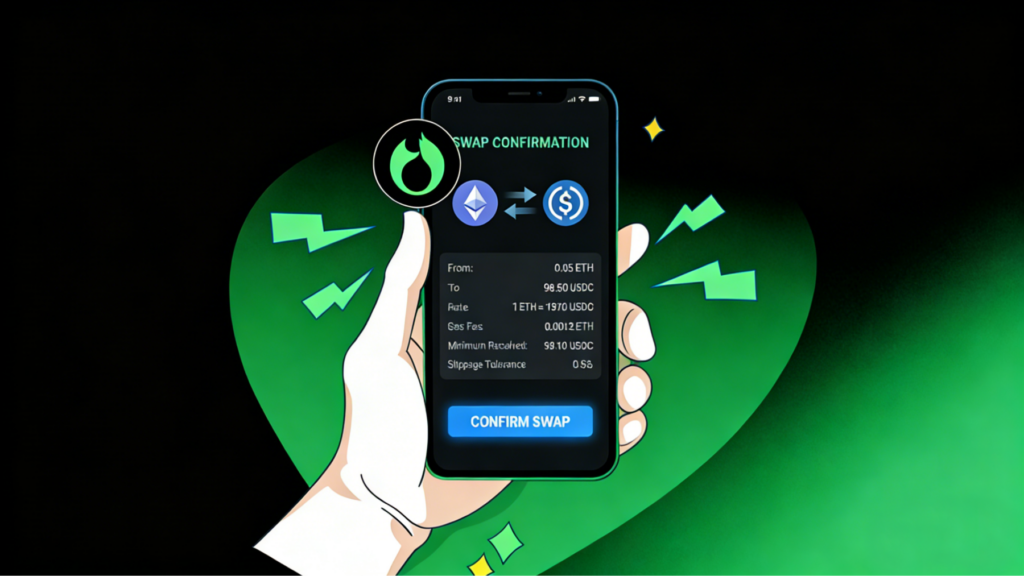
Step 4: Review the quote carefully (fees, route, and minimum received)
Before confirming, look for:
- Estimated output amount.
- Minimum received (slippage-protected).
- Gas fee estimate.
- Any warnings or risk alerts.
Step 5: Confirm and sign
- If everything looks correct, confirm the swap.
- Sign with biometrics or your device passcode.
- Wait for on-chain confirmation and then verify your updated balances and transaction history.

Practical settings checklist: fees, slippage, approvals, and troubleshooting
Use this table as a pre-swap review on mobile, where mistakes are easiest to make.
| What to check | Why it matters | Safer default behavior |
|---|---|---|
| Gas fee (network fee) | Prevents failed swaps and surprise costs | Keep extra ETH for gas, especially on mainnet |
| Slippage tolerance | Too low can fail, too high can worsen execution and MEV exposure | Start low, increase only if needed |
| Token contract | Avoids lookalike tokens | Verify addresses from official sources |
| Route clarity | Multi-hop routes can add complexity | Prefer clear, liquid routes when possible |
| Approvals (if shown) | Over-approval can increase risk | Prefer limited allowances when available, revoke unused later |
| Network selection | Wrong network causes confusion and stranded assets | Double-check chain name before confirming |
If a swap fails or gets stuck:
- Recheck you have enough ETH for gas.
- If the error mentions slippage, adjust slightly rather than jumping to a very high setting.
- If the network is congested, waiting or retrying with updated gas estimates can help.
For broader context on choosing a secure multi-chain wallet experience, see FoxWallet's guide to choosing wallets in 2026.
Next step
When you are ready to do a secure ETH swap on your phone with self-custody controls, install FoxWallet and complete your first small test swap before moving larger sizes.