


FoxWallet: Secure & Fast Multi-Chain Management

Choosing a self-custody wallet is no longer just about storing tokens. Most users now interact across multiple chains, collect NFTs, swap assets, and connect to DeFi and DApps daily. FoxWallet is a perfect choice if you want something secure, fast, and simple enough to use consistently on both mobile and desktop while juggling all the various features.

What FoxWallet Is and Who It Is For
FoxWallet is a multi-chain, non-custodial Web3 wallet built for secure asset control, streamlined multi-chain management, and deep DeFi and DApp access. It is designed to work for different experience levels without forcing you into separate tools:
- Beginners get guided onboarding and a clean interface.
- Intermediate users get unified multi-chain visibility and in-wallet swaps.
- Advanced users get cross-chain routing, fee-conscious execution, and proactive risk alerts.
FoxWallet is available on mobile and as a browser extension, so you can manage assets on the go while still having a desktop workflow for heavier DeFi and DApp usage.
Security First: Non-Custodial by Design
Security starts with custody. FoxWallet is fully non-custodial, meaning you retain control of your private keys and assets. The wallet does not access or hold user funds.
Key security principles include:
- Local, encrypted storage of mnemonic phrases and private keys.
- Secure sandbox isolation to reduce exposure to malicious apps or processes.
- Pre-transaction risk alerts designed to help you identify suspicious contract interactions before signing.
- Phishing and malicious contract detection strategies that are continuously updated.
Because self-custody also means self-responsibility, FoxWallet's onboarding emphasizes safe backup habits and clear confirmation steps. This is especially important for users who are new to Web3 and want guardrails without giving up control.
Multi-Chain Asset Management Without the Headache
Managing assets across multiple networks often creates friction: switching networks, missing tokens, and losing track of NFTs on different chains. FoxWallet is built to reduce that complexity with:
- One-stop management across many major blockchains and emerging ecosystems.
- Automatic detection of assets and NFTs on supported networks.
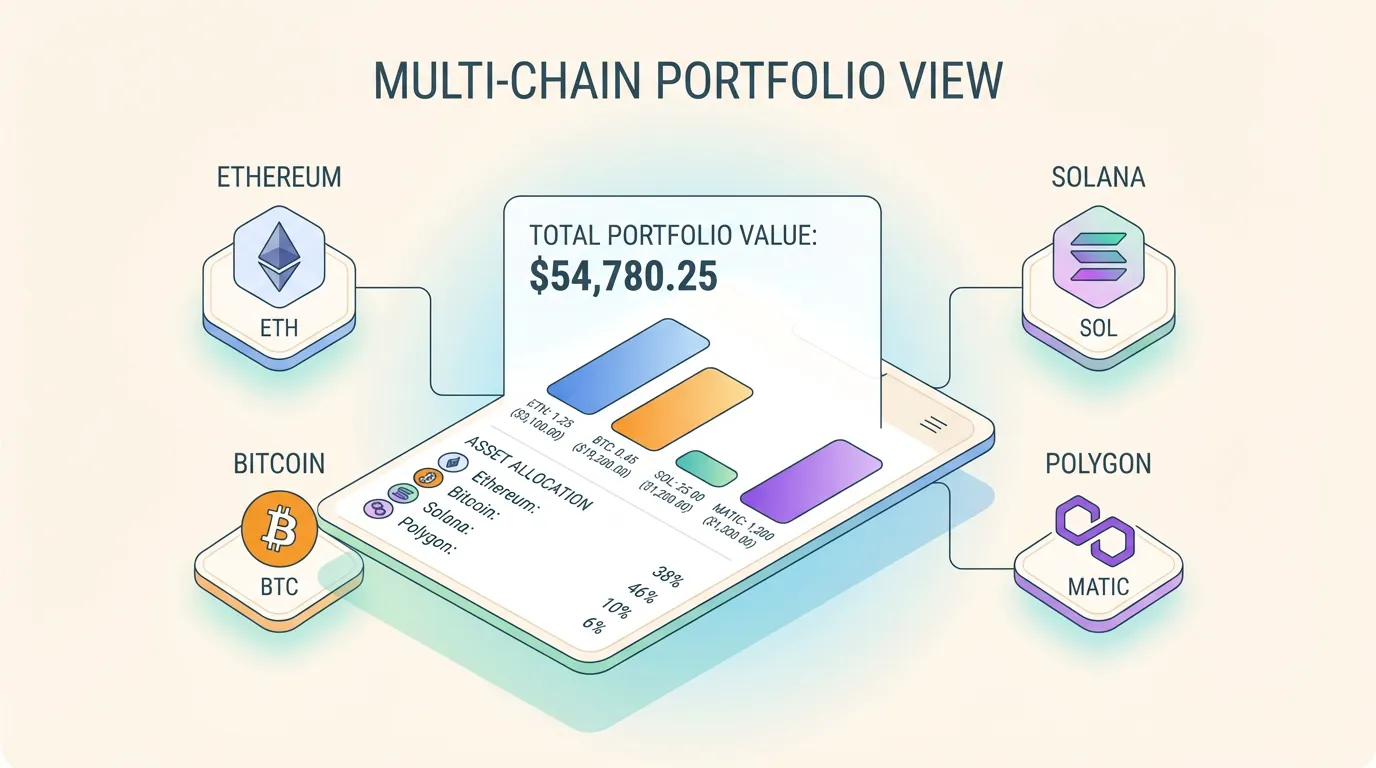
- A unified cross-chain asset view that reduces the need to bounce between wallets or interfaces.
- Real-time on-chain data synchronization so balances and statuses stay transparent and traceable.
This design supports a common reality in 2026: users rarely stay on a single chain. FoxWallet's goal is to make multi-chain feel like one consistent portfolio experience, rather than a collection of disconnected accounts.
Cross-Chain Swaps with Fee Transparency
Cross-chain activity is where cost and complexity often spike. FoxWallet addresses this with built-in cross-chain swap aggregation that focuses on execution quality:
- Native routing across major blockchains inside the wallet.
- Automatic optimization for pricing and liquidity.
- Slippage-minimizing routes designed to reduce avoidable losses.
- A fee-conscious approach intended to lower hidden costs over time, especially for frequent swappers.
To keep the experience clear, FoxWallet emphasizes visibility into the route and transaction context before you confirm. That matters because the real cost of a swap is rarely just one number. It is typically a combination of network fees, price impact, and routing quality.
The table below summarizes how FoxWallet is positioned to reduce friction and improve predictability in swaps and trading.
| What users care about | What often goes wrong | How FoxWallet approaches it |
|---|---|---|
| Cross-chain simplicity | Too many bridges, steps, and UIs | In-wallet cross-chain swap aggregation |
| Execution quality | Poor routing increases slippage | Optimized routing for price and liquidity |
| Cost clarity | Hidden costs accumulate over time | Emphasis on fee transparency and route visibility |
| Safety at signing | Users approve risky contracts | Pre-transaction risk alerts and contract recognition |
To begin, install FoxWallet from the official sources and set up your wallet in minutes: - Use the official [FoxWallet download page](https://foxwallet.com/download/) to choose your platform. - Install on iOS via the [FoxWallet App Store listing](https://apps.apple.com/lu/app/foxwallet-secure-crypto-asset/id1590983231). - Install on Android via the [FoxWallet Google Play listing](https://play.google.com/store/apps/details?id=com.foxwallet.play). - If you want a desktop workflow, use the browser extension option from the official download page. If you are evaluating wallets and want more context on the broader landscape, see [FoxWallet's 2026 wallet roundup](https://foxwallet.com/blog/best-wallets-2026/). When you are ready, download FoxWallet, create or import a wallet, back up your mnemonic securely, and start managing your multi-chain portfolio with a security-first, self-custody setup.