


Top 5 Wallet Security Features Keeping Your Crypto Safe in 2026

What “Wallet” Security Really Means in 2026
If you use a multi-chain wallet today, you’re not just sending tokens on one network anymore—you’re swapping across chains, farming in DeFi, minting NFTs, and connecting to dozens of DApps. That complexity is exactly why “wallet security features 2026” is a real concern for most Web3 users.
A modern Wallet-style wallet needs to defend you on three fronts at once:
- Your keys: keeping your seed phrase and private keys encrypted and fully under your control
- Your clicks: making sure every signature and approval is understandable and screened for risk
- Your connections: protecting you from phishing sites, fake DApps, and unsafe cross-chain routes
FoxWallet is a concrete example of this kind of Wallet design: a non‑custodial, multi‑chain wallet for mobile and browser extension that puts security and cross‑chain support at its core.
To understand why that matters, it helps to look at how fast crypto crime has evolved.
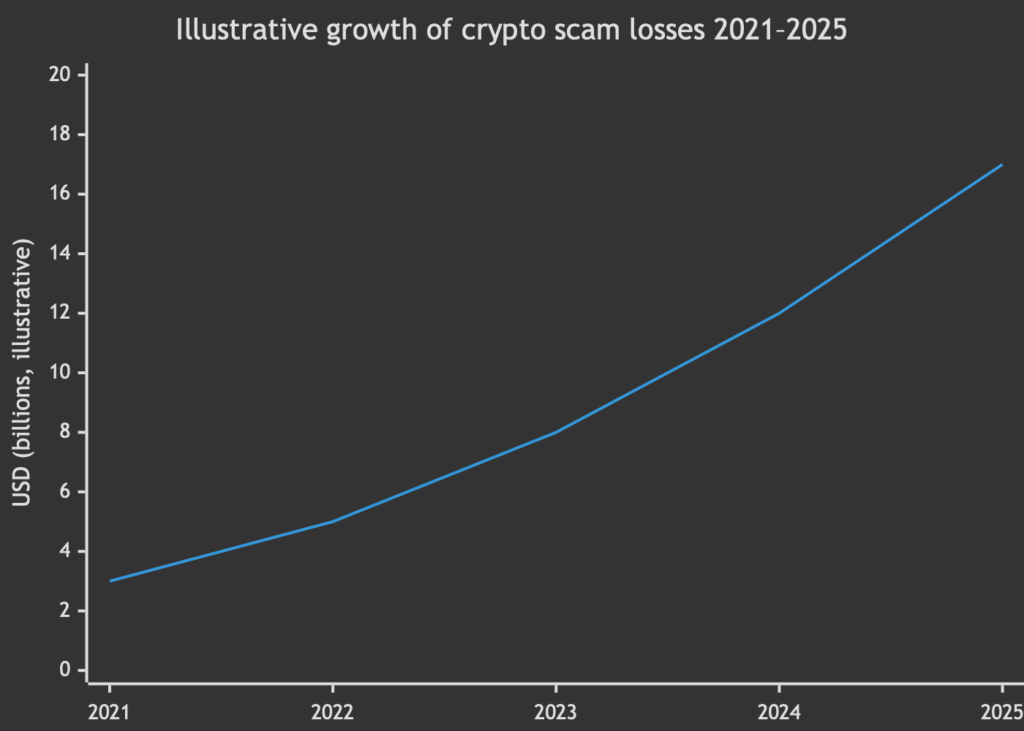
Chainalysis reports that scams and fraud stole on the order of tens of billions of dollars by 2025, with sophisticated phishing and transaction-signing attacks leading the way. In 2026, a wallet is only as good as the protection it offers against these real‑world threats.
FoxWallet’s approach can be summarized in five pillars.
The Top 5 Wallet Security Features in FoxWallet
Below are the five essential Wallet security pillars for 2026, and how FoxWallet implements them in practice.
1. Full Self‑Custody with Local Encryption and Isolation
A Wallet-ready wallet must be truly non‑custodial:
- Keys are generated on your device
- Seed phrases and private keys are encrypted and never leave the device
- No automatic cloud backups or server‑side key storage
FoxWallet follows this model strictly:
- It is a fully non‑custodial wallet: you, and only you, control your keys and assets
- Mnemonics and private keys are stored locally on your phone or browser extension, encrypted and isolated in a secure environment
- FoxWallet does not have access to your funds and cannot “reset” or recover a lost seed phrase
From a user’s perspective, this means:
- No centralized counterparty risk like an exchange
- A clear, simple rule: whoever controls the seed phrase controls the funds
But it also means you must treat your seed phrase as the single point of recovery. FoxWallet’s security tips in its Help Center emphasize writing it down offline and never saving it in screenshots, notes apps, or cloud drives:
- FoxWallet Help Center: https://hc.foxwallet.com/docs
- Security tips: https://hc.foxwallet.com/docs/security-tips
2. Advanced Transaction & Contract Security (Risk Alerts and Readable Signing)
Most losses today don’t come from brute‑forcing keys; they come from users signing the wrong thing.
Sherlock’s 2026 Web3 security analysis highlights “blind signing and transaction‑signing attacks” as a top threat: malicious DApps and drainers trick users into approving unlimited token allowances or hidden transfers.
FoxWallet addresses this at the exact point where damage happens: the signature screen.
Key protections include:
- Pre‑transaction risk alerts
- Suspicious or high‑risk signatures trigger warnings before you confirm
- Unusual approvals or dangerous contract interactions are highlighted
- Malicious authorization checks
- FoxWallet analyzes token approvals and authorizations to spot patterns used by drainer contracts
- You are warned when you are about to grant overly broad permissions
- Readable signing
- Transaction prompts are presented in a human‑oriented way, not just raw calldata
- You see what you are actually doing (sending tokens, granting an approval, signing a permit) before you tap “Confirm”
In practice, this looks like: you initiate a swap or interact with a DeFi DApp, FoxWallet builds the transaction, runs security checks, and then either shows a normal confirmation or a clearly labeled high‑risk warning.
This aligns with best practices described in Web3 threat research, where the most effective protection is to intercept bad transactions before they hit the blockchain:
- Sherlock threats overview: https://sherlock.xyz/post/top-web3-security-threats-opsec-best-practices-for-2026
3. Integrated Anti‑Phishing and Secure DApp Browser
Phishing is still the most common way users lose funds:
- Fake wallet websites that steal seeds
- Cloned DeFi sites that redirect transactions
- Malicious links in social media or chat groups
A Wallet‑grade wallet therefore needs to be more than just a key vault; it should be your safe browser to Web3.
FoxWallet integrates:
- A built‑in DApp browser
- Phishing site blocking
- Contract‑level checks when you connect and sign
When you browse through FoxWallet’s DApp interface, suspect URLs and known phishing sites can be blocked, and high‑risk DApps are flagged before you connect. Combined with the transaction and authorization checks, this creates a secure path from “open DApp” to “transaction confirmed” without blindly trusting random websites.
The FoxWallet docs outline this layered model of phishing protection and contract screening:
- Documentation: https://hc.foxwallet.com/docs
For you as a user, this means you can greatly reduce risk by:
- Only interacting with Web3 sites inside the FoxWallet DApp browser
- Treating any external link that asks for your seed phrase as an immediate red flag (valid DApps will never ask for the seed)
4. Multi‑Chain and Cross‑Chain Risk Management
In 2026, serious users are on multiple chains: Ethereum, L2s, TRON, Filecoin, and more. Many hacks over the last few years have involved bridges and cross‑chain protocols, so multi‑chain support without multi‑chain‑aware security is dangerous.
FoxWallet is built as a multi‑chain and cross‑chain wallet from day one:
- One‑stop asset view across dozens of blockchains
- Automatic detection of tokens and NFTs on each network
- Real‑time on‑chain data sync so your balances and approvals are transparent
- Native integration of multi‑chain swap aggregators
On the security side, this helps you in three ways:
- Lower operational mistakes
- A unified, clearly labeled interface makes it harder to send tokens to the wrong chain or address
- You always know which network a transaction is using
- Safer cross‑chain swaps
- Cross‑chain swaps route through vetted aggregators, not random, unaudited bridges you found in a forum
- FoxWallet’s transaction checks still apply even when moving across chains
- Better cost and risk visibility
- Optimized routes help reduce slippage and hidden fees
- For high‑frequency and cross‑chain users, FoxWallet’s focus on lower swap costs and risk‑aware routing offers long‑term advantages
Third‑party reviewers highlight this multi‑chain focus as a core strength:
5. Security‑First UX, Onboarding, and Multi‑Platform Coverage
Even the best cryptography can’t fix a confusing interface. Many losses come from:
- Users misunderstanding self‑custody
- Misplacing seed phrases
- Confusing testnets with mainnets or signing the wrong transaction in a hurry
FoxWallet’s UX is built for three segments at once:
- Beginners
- Clean, guided onboarding to create a wallet and back up the seed phrase
- Security tips embedded in the early steps (don’t screenshot, don’t store seeds in the cloud, double‑check URLs)
- Advanced DeFi users
- Easy access to multi‑chain, cross‑chain swaps, DeFi, and NFTs
- Risk alerts that don’t get in the way but show up when they matter
- Professional/high‑frequency users
- Efficient flows for repeated transactions
- A clear view of approvals, balances, and activity across chains
Importantly, this experience is consistent across platforms:
- Mobile: iOS and Android apps
- Desktop: Browser extension
- Same non‑custodial model and risk alerts when connecting to DApps
That consistency is a security feature: when prompts and warnings look the same across devices, you are less likely to be tricked by a fake UI.
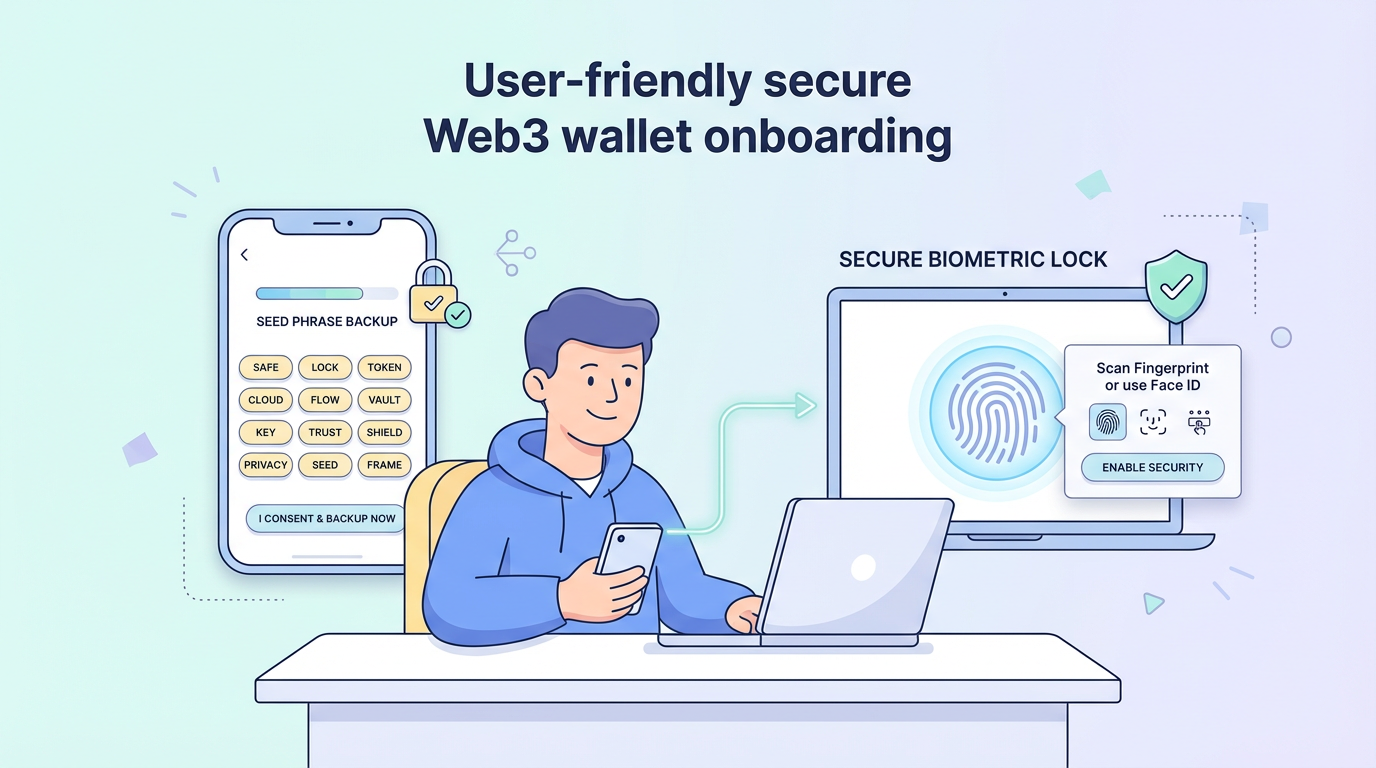
Step-by-Step: How to Set Up FoxWallet Securely in 2026
Below is a concise, security‑focused setup flow you can follow when starting with FoxWallet as your Wallet‑style multi‑chain wallet.
1. Install Only from Official Sources
- Go to the official website: https://foxwallet.com
- Or install directly from the official app stores:
Avoid search‑ad links, APK download sites, or browser extension stores that are not clearly linked from the official website.
2. Create a New Wallet (or Import Carefully)
- Open FoxWallet and choose “Create new wallet” if you are starting fresh.
- Set a strong password for local encryption:
- Use at least 12 characters
- Mix letters, numbers, and symbols
- Enable biometric lock (Face ID, fingerprint) where supported to prevent casual access to your wallet on a stolen device.
If you import an existing seed phrase:
- Double‑check that you are in the official FoxWallet app or extension
- Type the seed manually; never paste from the clipboard (malware can read your clipboard)
3. Back Up Your Seed Phrase Securely
FoxWallet will display your seed phrase once during onboarding. Treat this step as critical:
- Write it down on paper, clearly and legibly
- Store it in a secure, offline place (or two separate secure locations)
- Do not:
- Take a screenshot
- Save it in your phone’s notes app
- Email it to yourself
- Upload it to a cloud drive
Refer to the security tips provided by FoxWallet for additional best practices:
4. Explore the Multi‑Chain Asset View Safely
Before you start trading:
- Open FoxWallet and review the default networks available.
- Add or enable only the chains you actually use.
- Note how assets are grouped by network—this helps avoid sending tokens to the wrong chain.
5. Connect to DApps via the Built‑In Browser
To minimize phishing risk:
- Use FoxWallet’s internal DApp browser instead of manually pasting URLs into external browsers.
- When you open a new DApp:
- Check that the URL looks correct
- Pay attention to any warnings that FoxWallet displays about the site or contract
6. Make Your First Transaction with Full Visibility
When you send tokens or perform a swap:
- Initiate the action in FoxWallet (send, swap, or DApp transaction).
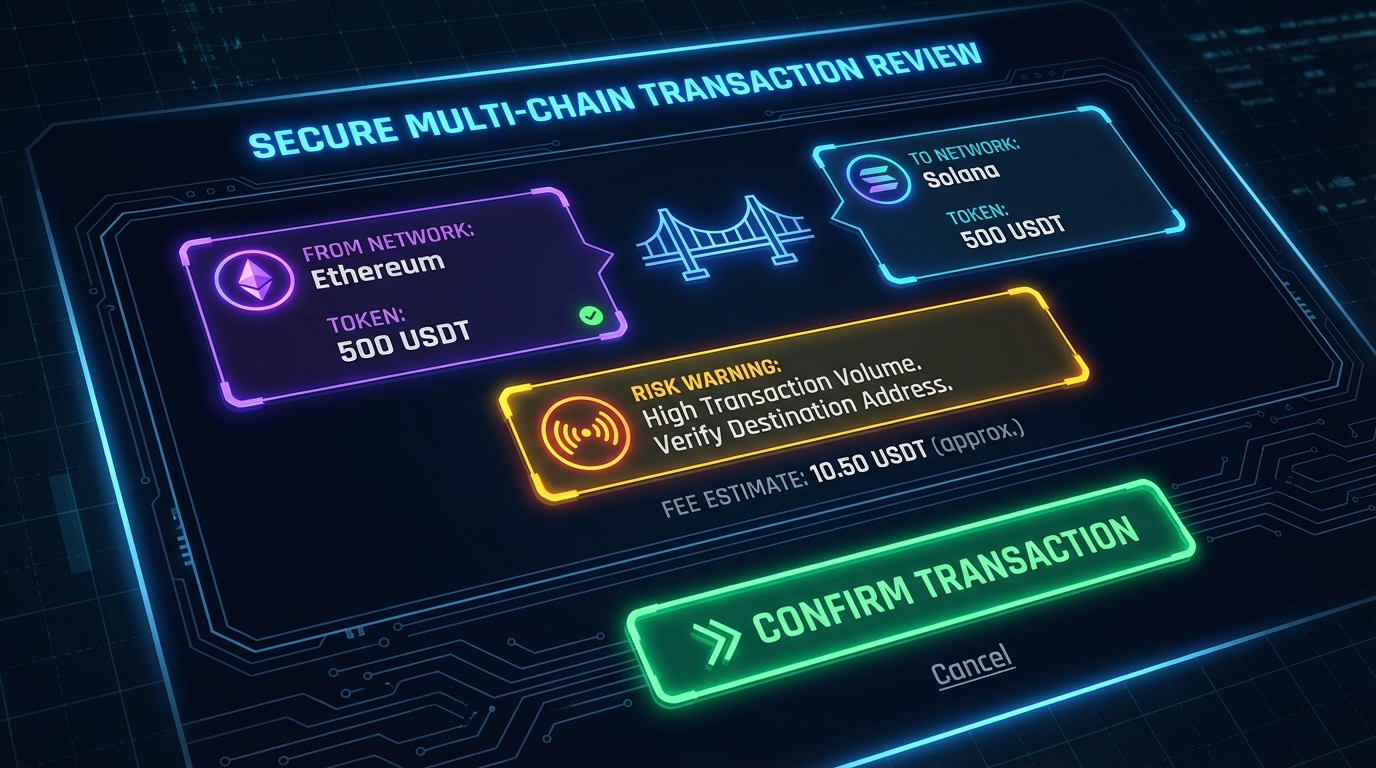
- On the confirmation screen:
- Confirm the network is the one you expect
- Double‑check the recipient address and token
- Read any risk alerts or warnings carefully
If FoxWallet flags a high‑risk signature or suspicious approval:
- Stop and investigate
- Ask yourself if you trust the DApp and understand why such permission is needed
7. Review and Maintain Approvals Periodically
As your on‑chain activity grows, managing approvals becomes important:
- Periodically review which DApps have spending rights on your tokens
- Use FoxWallet’s interface and compatible on‑chain tools to reduce or revoke unnecessary allowances
- Keep your “cold” holdings in a separate wallet with minimal approvals
Practical Security Checklist for Daily Use
Use this quick checklist as a daily reference when using FoxWallet as your Wallet‑style wallet in 2026.
Daily & Weekly Habits
| Action | Why it matters | How FoxWallet helps |
|---|---|---|
| Use biometric/app lock | Prevents casual access if your device is lost or borrowed | Local encryption and OS‑level biometrics add a second barrier |
| Always use the in‑app DApp browser | Reduces exposure to fake sites and phishing pages | Phishing site blocking and contract risk checks |
| Read every signature prompt | Stops most drainer attacks and malicious approvals | Clear transaction summaries and high‑risk signature warnings |
| Avoid saving seeds digitally | Prevents malware and cloud leaks from stealing keys | Onboarding emphasizes offline backup only |
| Check network and token twice | Avoids sending to wrong chain or wrong asset | Unified, labeled multi‑chain interface |
| Review approvals monthly | Limits damage if a DApp is later compromised | FoxWallet helps surface risky authorizations |
Common Red Flags
If any of these happen, pause immediately:
- A website or support agent asks for your seed phrase
- A DApp requires unlimited spending approval for a token with no clear reason
- FoxWallet shows a high‑risk or phishing warning you don’t understand
- You are rushed into a transaction by time‑limited “guaranteed profit” offers
In all these cases, it is safer to cancel, research further using trusted sources (for example, reputable security blogs such as https://coin.space/false-security-checklist-for-2026-in-crypto-wallets/ and https://www.h-x.technology/blog/top-26-cryptocurrency-risks-and-mistakes-in-2026), and only proceed if you are fully comfortable.
FAQ: Staying Safe with a Multi‑Chain Wallet in 2026
Is a Wallet-style multi‑chain wallet like FoxWallet safe in 2026?
No wallet is perfectly risk‑free, but FoxWallet is designed according to the strongest 2026 standards:
- Non‑custodial self‑custody with local encrypted key storage
- Integrated phishing blocking and secure DApp browser
- Advanced transaction and authorization checks
- Multi‑chain‑aware UX and cross‑chain swap security
Used correctly—with secure seed backups and careful signing—this is one of the safest ways to interact with Web3.
Can a hacker steal my funds without my seed phrase?
Yes, if you:
- Grant malicious token approvals to a drainer contract
- Sign harmful transactions without reading them
- Fall for a phishing site that tricks you into connecting and approving everything
That’s why FoxWallet puts so much emphasis on readable signing, pre‑transaction risk alerts, and malicious authorization checks. Many modern attacks can be stopped simply by heeding these warnings and refusing unexpected permissions.
What happens if I lose my FoxWallet seed phrase?
Because FoxWallet is non‑custodial:
- FoxWallet cannot recover your wallet or funds without the seed
- You will permanently lose access if you lose the seed and all its backups
The safest approach is:
- During setup, store your seed phrase offline in at least one secure location
- Consider a second backup in a separate, equally secure location
- Never store the seed unencrypted on any internet‑connected device
How does FoxWallet help against phishing?
FoxWallet mitigates phishing through:
- A built‑in DApp browser with phishing site blocking
- Contract‑aware checks when connecting to DApps
- High‑risk signature and authorization warnings before signing
You add another layer of safety by:
- Only entering Web3 sites via FoxWallet’s internal browser or trusted bookmarks
- Ignoring any message or site that asks directly for your seed phrase
Is FoxWallet suitable for complete beginners?
Yes. FoxWallet is designed as a “full‑scenario” wallet:
- Beginners get guided onboarding, a clean interface, and in‑app security tips
- Intermediate and advanced users get multi‑chain, cross‑chain, DeFi, NFT, and GameFi support
- Professional users benefit from lower long‑term swap costs and deeper multi‑chain tooling
If you’re just starting, begin with small amounts, follow the security checklist above, and gradually explore more advanced features as you gain confidence.
Where should I start if I want to try FoxWallet today?
You can start safely by:
- Visiting the official site: https://foxwallet.com
- Installing the mobile app from:
- Reading the official documentation and security tips:
- Docs: https://hc.foxwallet.com/docs
- Security guidance: https://hc.foxwallet.com/docs/security-tips
From there, you can create a wallet, back up your seed safely, explore your multi‑chain portfolio, and start using the full set of Wallet‑grade security features that FoxWallet provides.
